顯示包含「Path Tracing」標籤的文章。顯示所有文章

Color Matching Function Comparison

Introduction

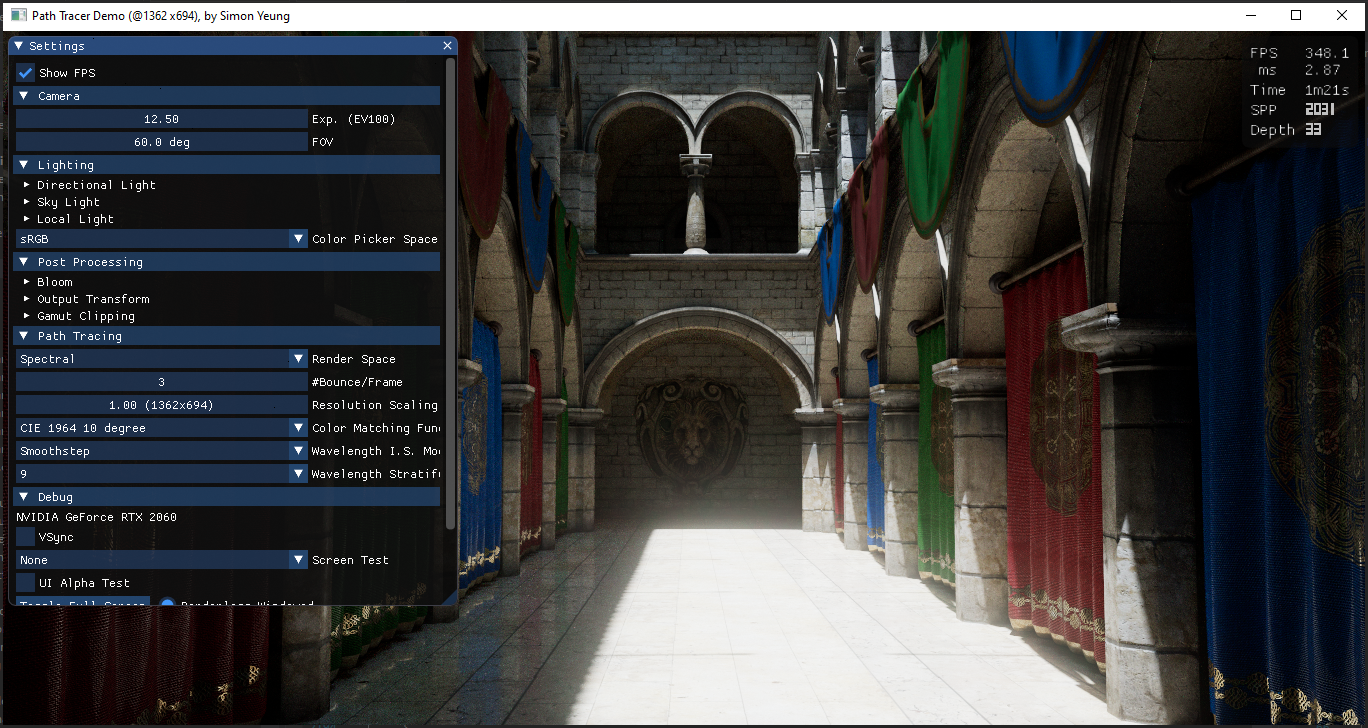
When performing spectral rendering, we need to use the Color Matching Function(CMF) to convert the spectral radiance to XYZ values, and then convert to RGB value for display. Different people have a slight variation when perceiving color, and age may also affect how color are perceived too. So the CIE defines several standard observers for an average person. The commonly used CMF are CIE 1931 2° Standard Observer and CIE 1964 10° Standard Observer. Beside these 2 CMF, there also exist other CMF such as Judd and Vos modified CIE 1931 2° CMF and CIE 2006 CMF. In this post, I will try to compare the images rendered with different CMF (as well as some analytical approximation). A demo can be downloaded here (the demo renders using wavelength between [380, 780]nm, which may introduce some error with CMF that have a larger range).

Left: rendered with CIE2006 CMF
Right: rendered with CIE1931 CMF

CMF Luminance

When I was implementing different CMF into my renderer, replacing the CMF directly will result in slightly different brightness of the rendered images:

Rendered with 1931 CMF
Rendered with 1964 CMF

This is because the renderer uses photometric units (e.g. lumen, lux..) to define the brightness of the light sources. Since the definition of luminous energy depends on the luminosity function (usually the y(λ) of CMF), we need to calculate the intensity of the light source with respect to the chosen CMF. Using the correct luminosity function, both rendered images have similar brightness:

Rendered with 1931 CMF
Rendered with 1964 CMF + luminance adjustment


CMF White Point

When using different CMF, the white point of different standard illuminant will be slightly different:

White point from wikipedia

Since we are dealing with game texture, color are usually defined in sRGB with a D65 white point, we need to find the white point of the D65 illuminant for the CMF that will be tested in this post. Unfortunately, I can't find D65 white point for the CIE 2006 CMF on the internet, so I calculated it myself (The calculation steps can be found in the Colab source code):

CIE 2006   2° : (0.313453, 0.330802) 

CIE 2006 10° : (0.313786, 0.331275)

But when I rendered some images with and without chromatic adaptation, the result looks similar:

1964 CMF without chromatic adaptation
1964 CMF with chromatic adaptation

So I searched on the internet, I can't find any information whether we need to chromatic adapt the rendered image due to different white point when using different CMF... May be this is because the difference is so small that applying chromatic adaptation makes no visible difference. 


CIE 2006 CMF analytical approximation

The popular CIE 1931 and 1964 CMF have simple analytical approximation, such as: "Simple Analytic Approximations to the CIE XYZ Color Matching Functions" (which will be tested in this post). The newer CIE 2006 CMF lacks such an approximation. So I derived one using similar methods and the curve fitting process can be found in the Colab source code.

2006 2° lobe approximation:

2006 2° lobe approximation shader source code
black lines: exact 2006 2° CMF
color lines: approximated 2006 2° CMF
 
2006 10° lobe approximation:

2006 10° lobe approximation shader source code
black lines: exact 2006 10° CMF
color lines: approximated 2006 10° CMF

Saturated lights comparison

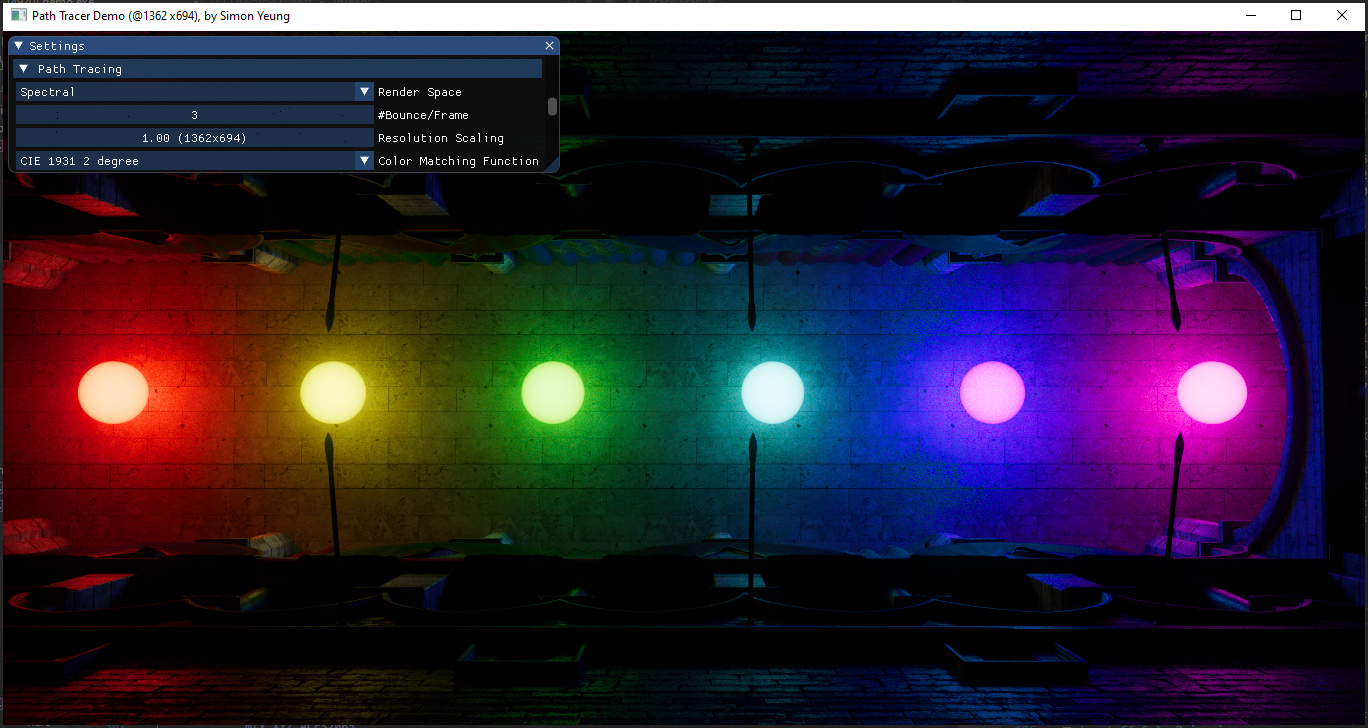
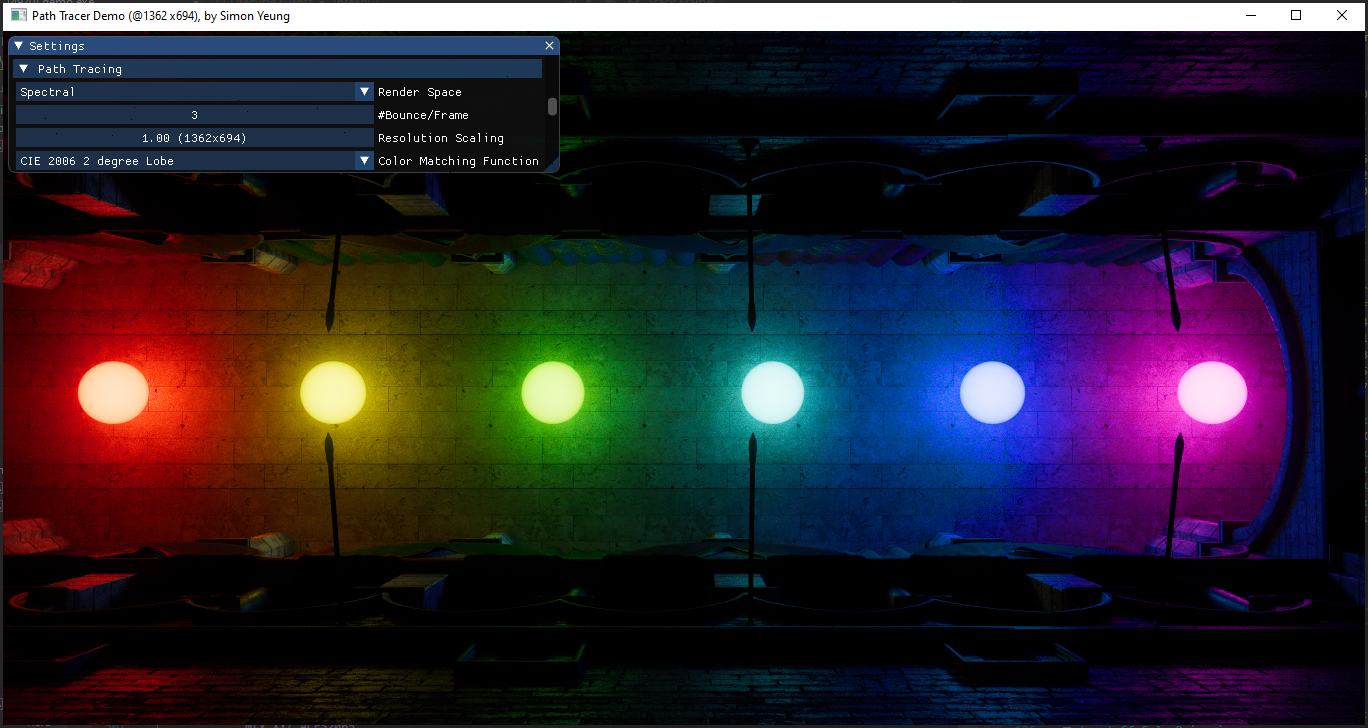
With the above changes to the path tracer, we can render some images for comparison. A scene with several saturated lights using sRGB color (1,0,0), (1,1,0), (0,1,0), (0,1,1), (0,0,1), (1,0,1) is tested (which will be spectral up-sampled). 10 different CMF are used:

  • CIE 1931 2° 
  • CIE 1931 2° with Judd Vos adjustment
  • CIE 1931 2° single lobe analytic approximation
  • CIE 1931 2° multi lobe analytic approximation
  • CIE 1964 10° 
  • CIE 1964 10° single lobe analytic approximation
  • CIE 2006 2°
  • CIE 2006 2° lobe analytic approximation
  • CIE 2006 10°
  • CIE 2006 10° lobe analytic approximation

Here are the results:

CIE 1931 2°
CIE 1931 2° with Judd Vos adjustment
CIE 1931 2° single lobe analytic approximation
CIE 1931 2° multi lobe analytic approximation
CIE 1964 10°
CIE 1964 10° single lobe analytic approximation
CIE 2006 2°
CIE 2006 2° lobe analytic approximation
CIE 2006 10°
CIE 2006 10° lobe analytic approximation

From Wikipedia:

"The CIE 1931 CMF is known to underestimate the contribution of the shorter blue wavelengths."

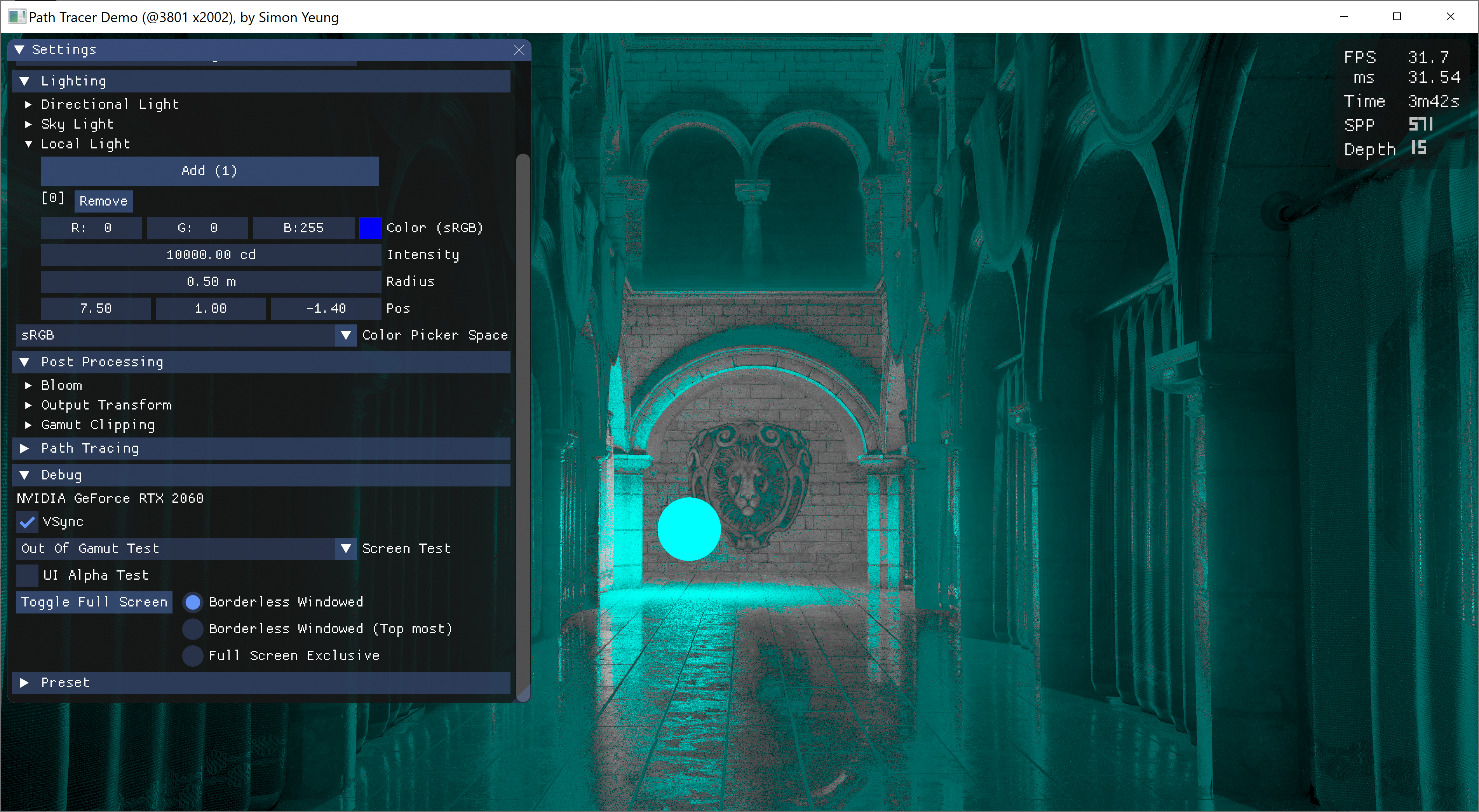
So I was expecting some variation for the blue color when using different CMF. But to my surprise, only the CIE 1931 CMF suffer from the “Blue Turns Purple” Problem (Edited: As pointed out by troy_s on twitter, the reference I provided was wrong, the link talks about psychophysical effect, while the current issue is mishandling of light data) which we have encountered in previous posts (i.e. saturated sRGB blue light will render purple color). Originally, after previous blog post, I was investigating this issue and was suspecting the ACES tone mapper cause the color shift (as this issue does not happen when rendering in narrow sRGB gamut with Reinhard tone mapper). I was thinking may be we can use the OKLab color space to get the hue value before tone mapping and tone map only the lightness to keep the blue color. But when I tried with this approach, the hue value obtained before tone mapping is still purple color, which suggest may not be the tone mapper causing the issue (or somehow my method of getting the hue value from HDR value is wrong...). So I have no idea on how to solve the issue and randomly toggle some debug view modes. Accidentally, I found that some of the purple color are actually inside my AdobeRGB monitor display gamut (but outside the sRGB gamut on another monitor...), so the problem is not only caused by out of gamut color producing the purple shift...
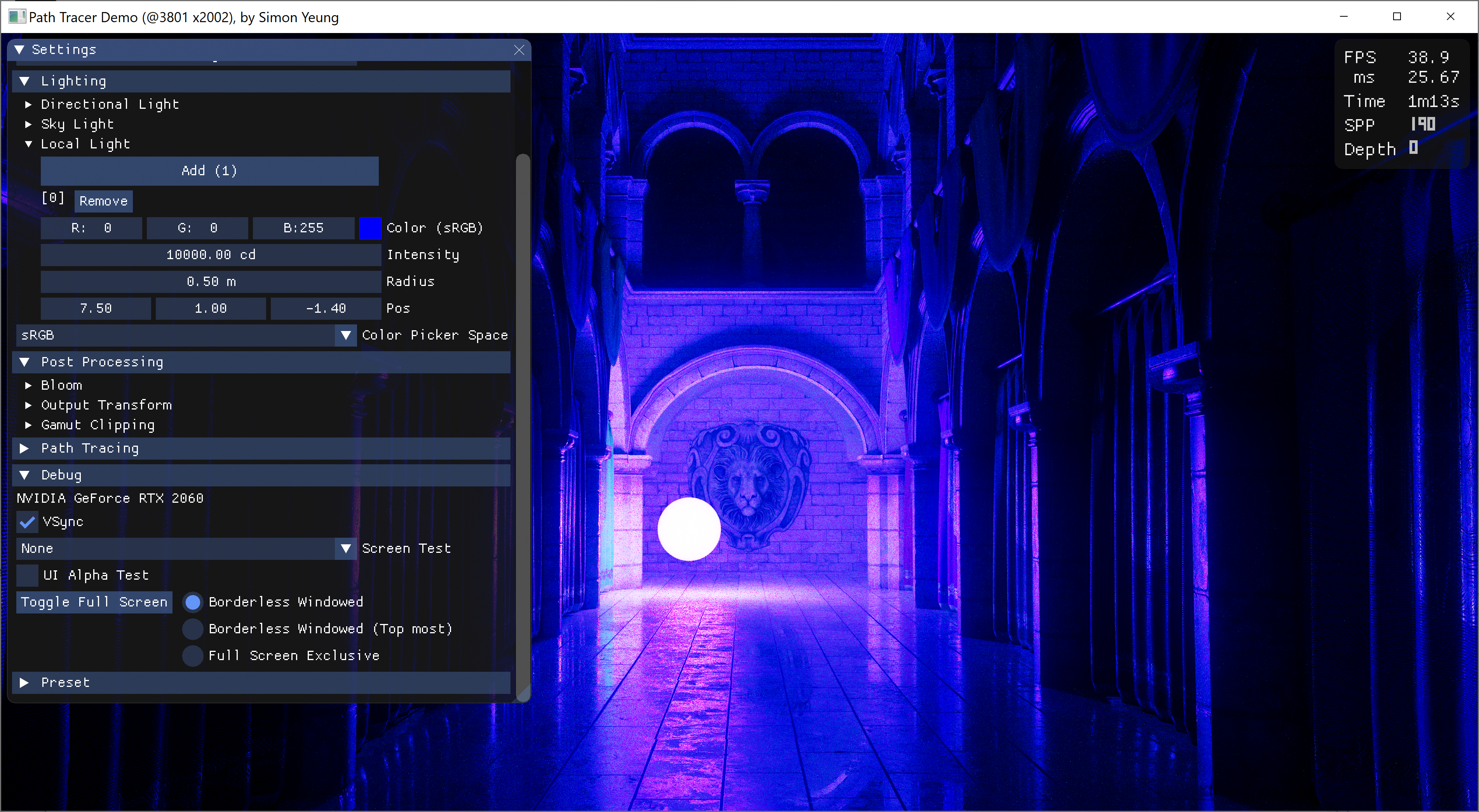
The purple color on the wall is within displayable Adobe RGB gamut
Highlighting out of gamut pixel with cyan color

So I decided to investigate the problem for spectral renderer first (and ignore the RGB renderer), and that's why I tested different CMF in this blog post. (Also, as a side note, the behavior for the blue turns purple color problem is a bit different between RGB and spectral renderer, using a more saturated blue color, e.g. (0, 0, 1) in Rec2020, can hide this issue in RGB renderer while using the same more saturated blue color with 1931 CMF spectral renderer still suffer from the problem, while other CMF doesn't have this issue.)


Color Checker comparison

Next, we compare a color checker lit by a white light source. Since my spectral renderer need to maintain compatibility with RGB rendering and I was too lazy to implement spectral material using measured spectral reflectance, so both the color checker and the light source are up-sampled from sRGB color.

CIE 1931 2°
CIE 1931 2° with Judd Vos adjustment
CIE 1931 2° single lobe analytic approximation
CIE 1931 2° multi lobe analytic approximation
CIE 1964 10°
CIE 1964 10° single lobe analytic approximation
CIE 2006 2°
CIE 2006 2° lobe analytic approximation
CIE 2006 10°
CIE 2006 10° lobe analytic approximation

From the above results, different CMF have similar looks except the blue color.


Conclusion

In this post, we have compare different CMF, provided an analytical approximation for the CIE 2006 CMF and calculate the D65 white point for CIE 2006 CMF (the math can be found in the Colab source code). All the CMF produce similar color except the blue color, with CMF newer than the 1931 CMF can render saturated blue color correctly without turning it into purple color. May be we should use newer CMF instead, especially when working with wide gamut color. And the company Konica Minolta points out that: the CIE 1931 CMF has issue with wider color gamut with OLED display (which suggest to use CIE 2015 CMF instead). But sadly, I cannot find the data for CIE 2015 CMF, so it is not tested in this post.


Reference

[1] https://en.wikipedia.org/wiki/CIE_1931_color_space

[2] http://cvrl.ioo.ucl.ac.uk/

[2] http://jcgt.org/published/0002/02/01/paper.pdf

[3] https://en.wikipedia.org/wiki/ColorChecker

[4] https://en.wikipedia.org/wiki/Standard_illuminant

[5] https://www.rit.edu/cos/colorscience/rc_useful_data.php

[6] https://sensing.konicaminolta.asia/deficiencies-of-the-cie-1931-color-matching-functions/

Importance sampling visible wavelength

Introduction

It has been half a year since my last post. Due to the pandemic and political environment in Hong Kong, I don't have much time/mood to work on my hobby path tracer... And until recently, I tried to get back to this hobby, may be it is better to work on some small tasks first. One thing I am not satisfied in previous spectral path tracing post is using 3 different cosh curves(with peak at the XYZ color matching functions) to importance sample the visible wavelength instead of 1. So I decided to revise it and find another PDF to take random wavelength samples. A demo with the updated importance sampled wavelength can be downloaded here and the python code used for generating the PDF can be viewed here (inspired by Bart Wronski's tweet to use Colab).

First Failed Try

The basic idea is to create a function with peak values at the same location as the color matching functions. I decided to use the sum of the XYZ color matching curves as PDF.

Black line is the Sum of XYZ curves

To simplify calculation, analytical approximation of the XYZ curves can be used. A common approximation can be found here, which seems hard to be integrated(due to the λ square) to create the CDF. So a rational function is used instead:

The X curve is approximated with 1 peak and dropped the small peak at around 450nm, because we want to compute the "sum of XYZ" curve, that missing peak can be compensated by scaling the Z curves. The approximated curves looks like:

Light colored curves are the approximated function
Grey color curve is the approximated PDF
The approximated PDF is roughly similar to the sum of XYZ color matching curves. But I have made a mistake: Although the rational function can be integrated to create the CDF, I don't know how to compute the inverse of CDF(which is needed by the inverse method to draw random samples using uniform random numbers). So I need to find another way...

Second Try

From previous section, although I don't know how to find the inverse of the approximated CDF, out of curiosity, I still want to know how the approximated CDF looks like, so I plot the graph:

Black line is the original CDF
Grey line is the approximated CDF

It looks like some smoothstep functions added together, with 1 base smoothstep curve in range [380, 780] with 2 smaller smoothstep curves (in range around [400, 500] and [500, 650]) added on top of the base curve. May be I can approximate this CDF with some kind of polynomial function. After some trail and error, an approximated CDF is found (details of CDF and PDF can be found in the python code):

The above function divides the visible wavelength spectrum into 4 intervals to form a piecewise function. Since smoothstep is a cubic function, adding another smoothstep function is still another cubic function, which can be inverted and differentiated. And the approximated "smoothstep CDF/PDF" curve looks like:

Blue line is the approximated "smoothstep CDF"
Black line is the original CDF
Blue line is the approximated "smoothstep PDF"
Black line is the original PDF
Although the "smoothstep CDF" looks smooth, its PDF is not (not C1 continuous at around 500nm). But it has 2 peaks value at around 450nm  and 600nm, may be let's try to render some images to see how it behaves.

Result

The same Sponza scene is rendered with 3 different wavelength sampling functions: uniform, cosh and smoothstep (with stratification of random number disabled, color noise are more noticeable when zoomed in):

uniform weighted sampling
cosh weighted sampling
smoothstep weighted sampling

Both cosh and smoothstep wavelength sampling method show less color noise than uniform sampling method, with the smoothstep PDF slightly better than cosh function. Seems the C1 discontinuity of the PDF does not affect rendering very much. A demo can be downloaded here to see how it looks in real-time.

Conclusion

This post described an approximated function to importance sample the visible wavelength by using the sum of the color matching functions, which reduce the color noise slightly. The approximated CDF is composed of cubic piecewise functions. The python code used for generating the polynomial coefficients can be found here (with some unused testing code too. e.g. I have tried to use 1 linear base function with 2 smaller smoothstep functions added on top, but the result is not much better...). Although the approximated PDF is not C1 continuous, it does not affect the rendering very much. If someone knows more about how the C1 continuity of the PDF affect rendering, please leave a comment below. Thank you.

References

[1] https://en.wikipedia.org/wiki/CIE_1931_color_space#Color_matching_functions

[2] Simple Analytic Approximations to the CIE XYZColor Matching Functions

[3] https://stackoverflow.com/questions/13328676/c-solving-cubic-equations

sRGB/ACEScg Luminance Comparison

Introduction

When I was searching information about rendering in different color spaces, I came across that using wider color primaries  (e.g. ACEScg instead of sRGB/Rec709) to perform lighting calculation will have a result closer to spectral rendering. But will this affect the brightness of the bounced light? So I decided to find it out. (The math is a bit lengthy, please feel free to skip to the result.)


Comparison method

To predict the brightness of the rendered image, we can consider the reflected light color after n bounces. To simplify the problem, we assume all the surfaces are diffuse material. We can derive a formula for the RGB color vector c after n light bounces.

To calculate lighting in different color spaces, we need to convert the albedo and initial light color to our desired color gamut by multiplying with a matrix M (For rendering in sRGB/Rec709, M is identity matrix).

Finally, we can calculate the luminance of the bounced light by computing the dot product between the color vector c and luminance vector Y of the color space (i.e. Y is the second row vector of the conversion matrix from a color space to XYZ space, with chromatic adaptation).

Now, we have an equation to compute the brightness of a reflected ray after n bounces in arbitrary color space.


Grey Material Test

To further simplify the problem, we assume all the surfaces are using the same material:

Then assuming all the surfaces are grey in color:

Now, the luminance equation is simpler to understand.

Substituting the matrix M and luminance vector Y for sRGB color gamut, the equation is very simple:

Then we do the same thing for ACEScg. Surprisingly, there are some constants roughly equal to one, so we can approximate them with constant one and the result will roughly equal to the luminance equation of sRGB.

As both equations are roughly equal, the rendered images in sRGB and ACEScg should be similar. Let's try to render images in sRGB and ACEScg to see the result (images are path traced with sRGB and ACEScg primaries, and then displayed in sRGB).

Path traced in sRGB
Path traced in ACEScg

Both images looks very similar! So rendering in different color spaces with grey material will not change the brightness of the image. At least, the difference is very small after tone mapped to a displayable range.


Red Material Test

Now, let's try to use red material instead of grey material to see how the luminance changes (where k is a variable to control how 'red' the material is):

But the equation is still a bit complex,  so we further assume the initial light color is white in color.

Then we perform the same steps in last section, substituting M and Y into luminance equation.
sRGB luminance equation


ACEScg luminance equation

Unfortunately, both equations are a bit too complex to compare, having 2 variables k and n... May be let's try to plot some graphs to see how those variables affect the luminance, with number of bounced light = 3 and 5 (i.e. n=3 and n=5, skipping the N dot L part because both equations have such term). From the graphs below: when k increases (i.e. the red color is getting more saturated, with RGB value closer to (1, 0, 0) ), luminance difference will increase, hence sRGB will have a larger luminance value than ACEScg.


Then comparing the images rendered in sRGB and ACEScg:

Path traced in sRGB
Path traced in ACEScg

The indirectly lit area looks much brighter when rendered in sRGB. This makes sense because for any red color, its red channel value will be closer to one (while green/blue values will be closer to 0) when represented in sRGB compared to be represented in ACEScg. After several multiplication, the reflected light value should be larger when computation is done in sRGB.


RGB Material Test

How about using different colored material this time? Assuming 1/3 of the light bounced on surface that is red material, 1/3 is green material, and 1/3 is blue material. 

Like previous 2 sections, substituting M and Y, the luminance equation becomes:

sRGB luminance equation ACEScg luminance equation
 
And then plotting graphs to see how k and n varies:

The result is different this time. The sRGB luminance is smaller than ACEScg luminance, and the difference increases when both k and n increases. So the bounced light will be darker when rendered in sRGB.

Let's try rendering some images to see whether this is true. Although we cannot force the ray to bounce with 1/3 red/green/blue material exactly, I roughly assigned 1/3 of the material in red/green/blue color in the scene.

Path traced in sRGB
Path traced in ACEScg

From the screen shots above, the indirectly lit red material looks darker when rendered in sRGB (especially the curtains on the ground floor), while the differences for the blue and green material are small. We can think of the result like previous section, for a given red color, when it is represented in sRGB, its red channel value is closer to one, however, its blue and green channels values are closer to 0 compared to be represented in ACEScg (same for both blue and green material). So after several multiplication with different color material, the RGB values in sRGB may becomes closer to 0 because different color material cancel out each other (e.g. when light bounced on red and green albedo surface (1, 0, 0) , (0, 1, 0) in sRGB, the reflected light will be zero, while the same color represented in ACEScg, the color will not be "zeroed out"), resulting in darker image.


Conclusion

After testing with different assumptions, the brightness of images when rendered in sRGB can be darker, roughly equal or brighter than rendered in ACEScg. The brightness difference depends on material used in the scene. If the scene uses grey material only, brightness will be equal. If material has similar color (e.g. all red material), sRGB image will be brighter. If the scene has more color variation, the sRGB image may becomes darker. And turns out this conclusion can be arrived without doing such lengthy math. We can think of the same color value represented in sRGB and ACEScg space: Is the RGB value closer to 0 or 1 when represented in the color space? Will the RGB values 'cancel' each other when performing lighting calculation in the color space? So I was too stupid to figure out this simple answer early and instead worked on such lengthy math... >.<


Reference

[1] https://chrisbrejon.com/cg-cinematography/chapter-1-5-academy-color-encoding-system-aces/